Now on the App Store for iPadiPhone and iPhone Duo · Beta · coming soon

Design anywhere.
Figma, with the parts iOS was missing.

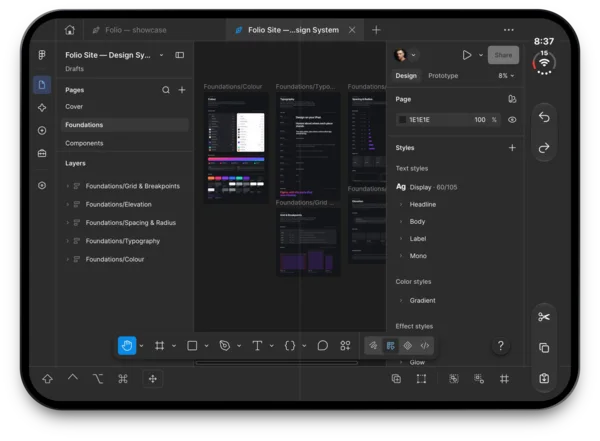
Folio is an independent app for iPad, with iPhone and iPhone Duo coming soon. It runs Figma's own web editor and adds what a browser tab can't: document tabs, multiple windows, Apple Pencil, touch and trackpad input, a toolbar with modifier keys, interface zoom and native downloads. On iPhone, the canvas comes first. Your own account and files. Nothing in between.

Free. Needs iPadOS 26 or later (iOS 26 for iPhone, coming soon), an internet connection and a Figma account.

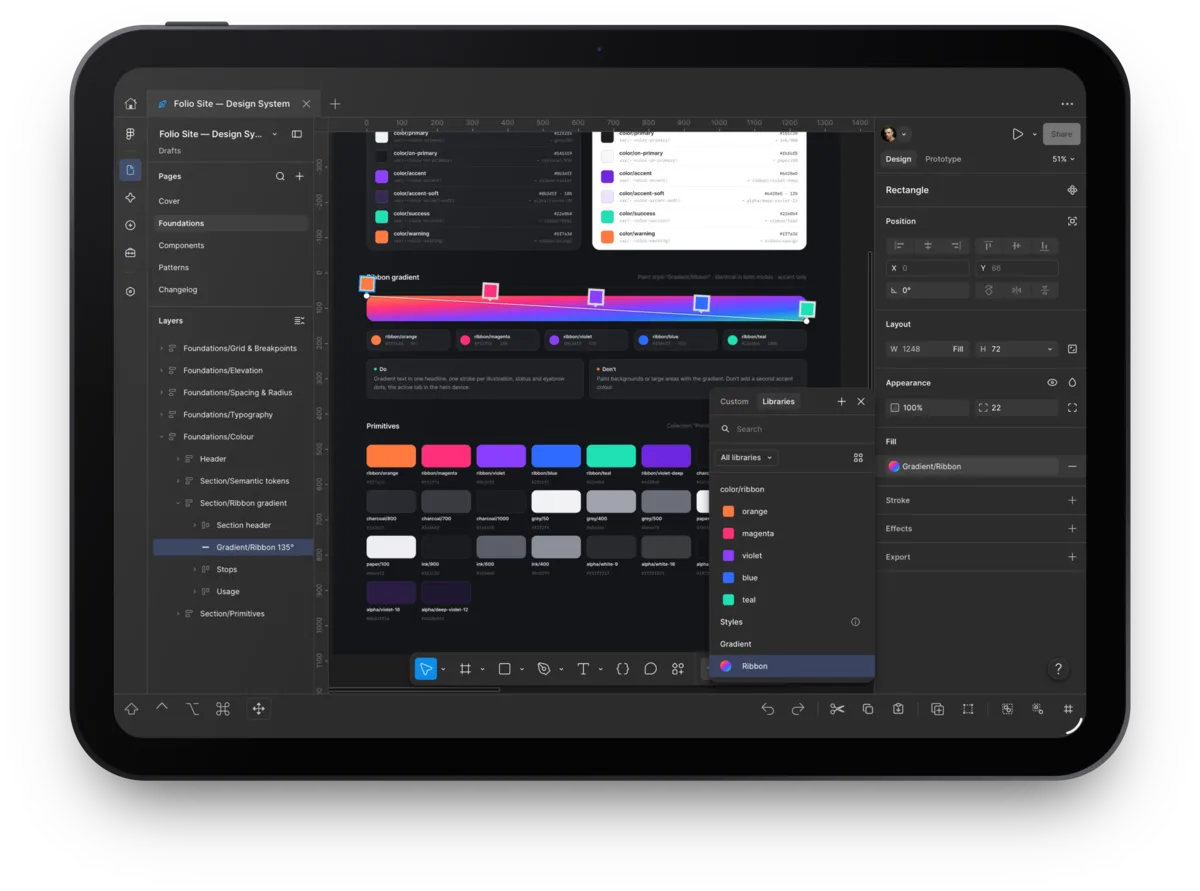
Folio on iPad: a design file open in a tab, with Figma's layers and properties panels and Folio's bottom toolbar
What Folio adds

The web editor, plus what a native iOS app should bring.

Folio does not reimplement Figma. It runs the real editor in a native shell and adapts touch, Pencil and keyboard input to standard browser behavior. Every iPad feature below is in the current release, shown in real screenshots.

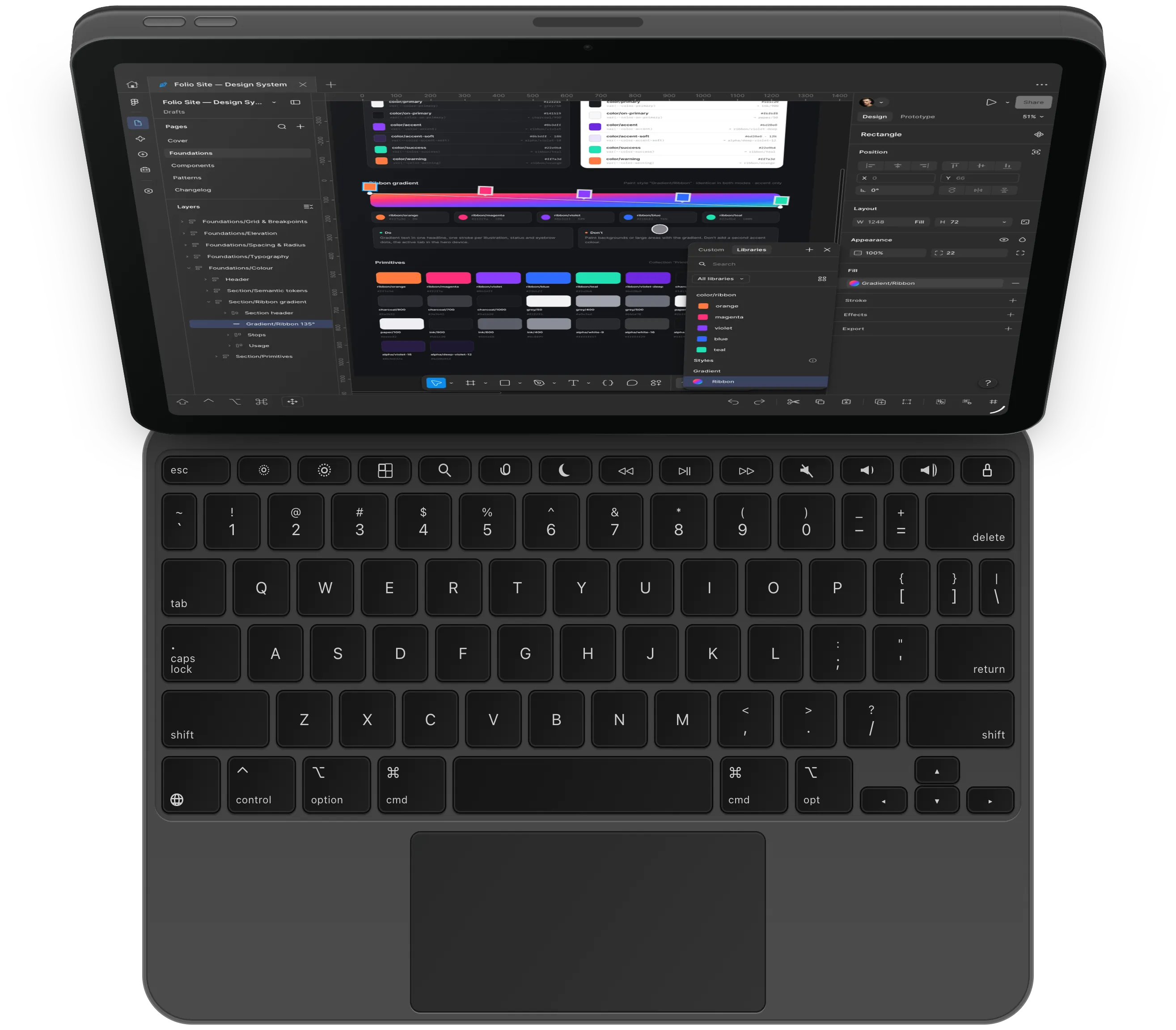
Folio on an iPad standing on a keyboard with a trackpad, the pointer over a design file

Trackpad and keyboard

Pinch to zoom the canvas on a trackpad, Ctrl-scroll to zoom with a mouse, and switch tabs, windows and settings with hardware keyboard commands.

Hardware keyboard, native commands

Hold Command in Folio to see every available command. Figma's own editing shortcuts still belong to Figma.

Next / previous tab
⌥⌘→/⌥⌘←
Reopen closed tab
⌃⇧⌘T
New window
⌃⌘N
Interface zoom in / out / reset
⌥⌘=/⌥⌘-/⌥⌘0
Toggle bottom toolbar
⌃⇧⌘B
Settings
⌘,
iPhone Duo · Beta · coming soon

Fully optimized for your iPhone Duo.

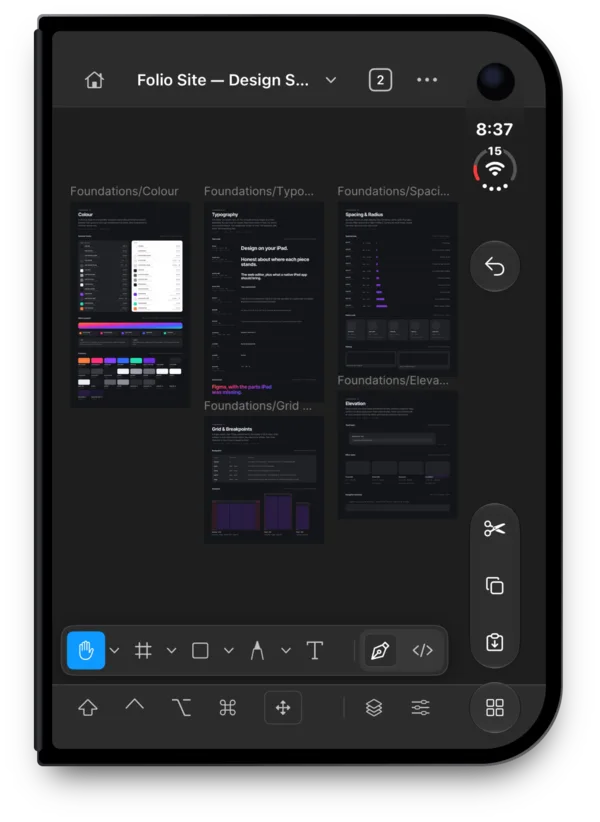
Folded, Folio fits the cover screen: a compact layout with one panel at a time and every tool within reach of one hand.

Figma's full desktop layout spans the inner display, with edit commands in a side column and modifier keys always in reach.

Folio on the iPhone Duo's unfolded inner display, with Figma's full desktop layout
The lower half of Folio in portrait, with its bottom toolbar of modifier keys, an arrow key and edit commands under the canvas

Bottom toolbar

One-shot or locked Shift, Control, Option and Command, a flick-to-press arrow key with hold-to-repeat, plus Undo, Redo, Cut, Copy, Paste, Duplicate, Group and Frame selection.

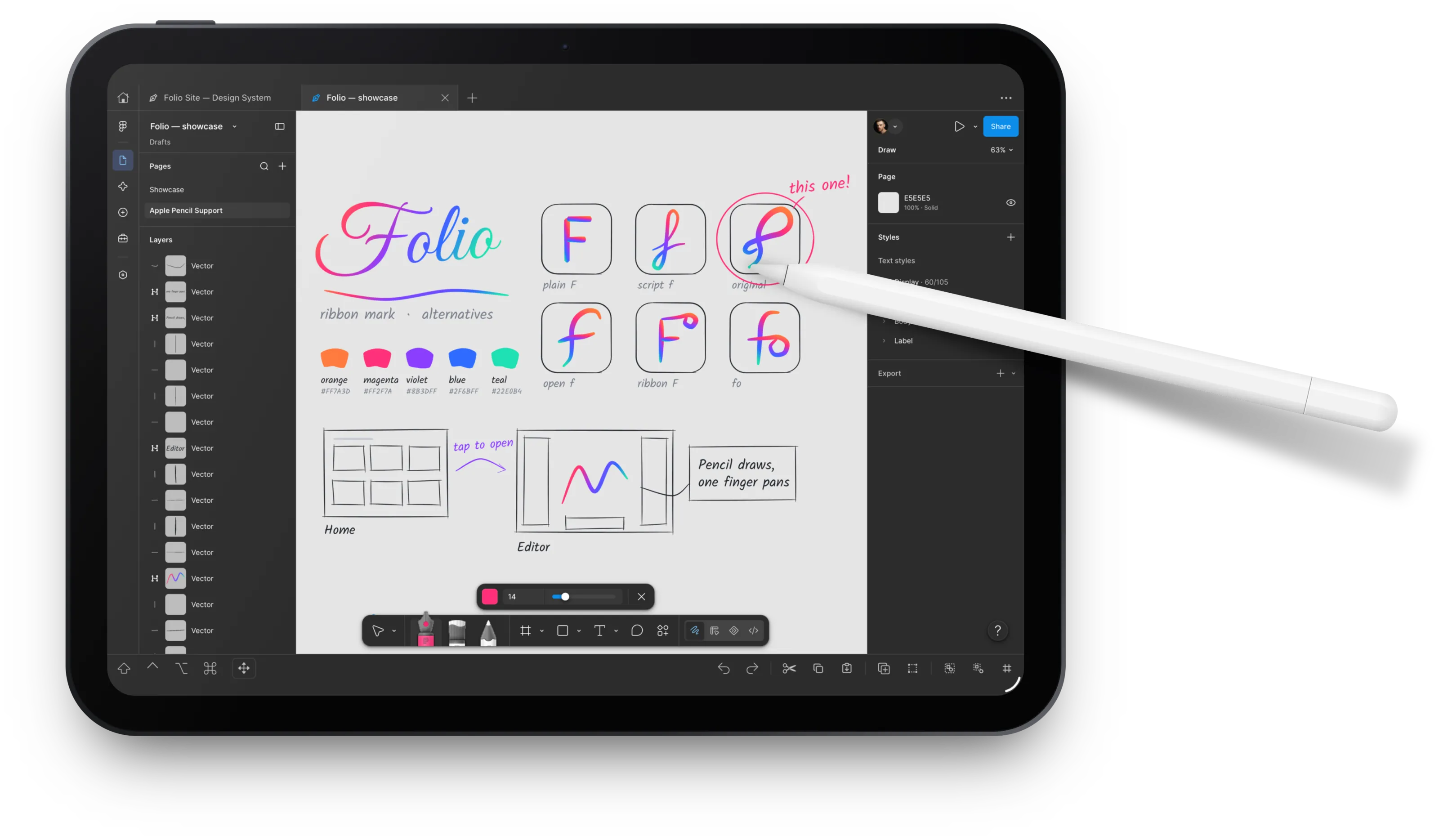
An Apple Pencil resting on a hand-drawn sketch in a design file in Folio

Apple Pencil and touch

Pencil & Touch pans the canvas with one finger and edits with the Pencil. Touch Only turns a finger into the pointer. Two-finger pan and pinch, hold menus and easier panel resizing in both.

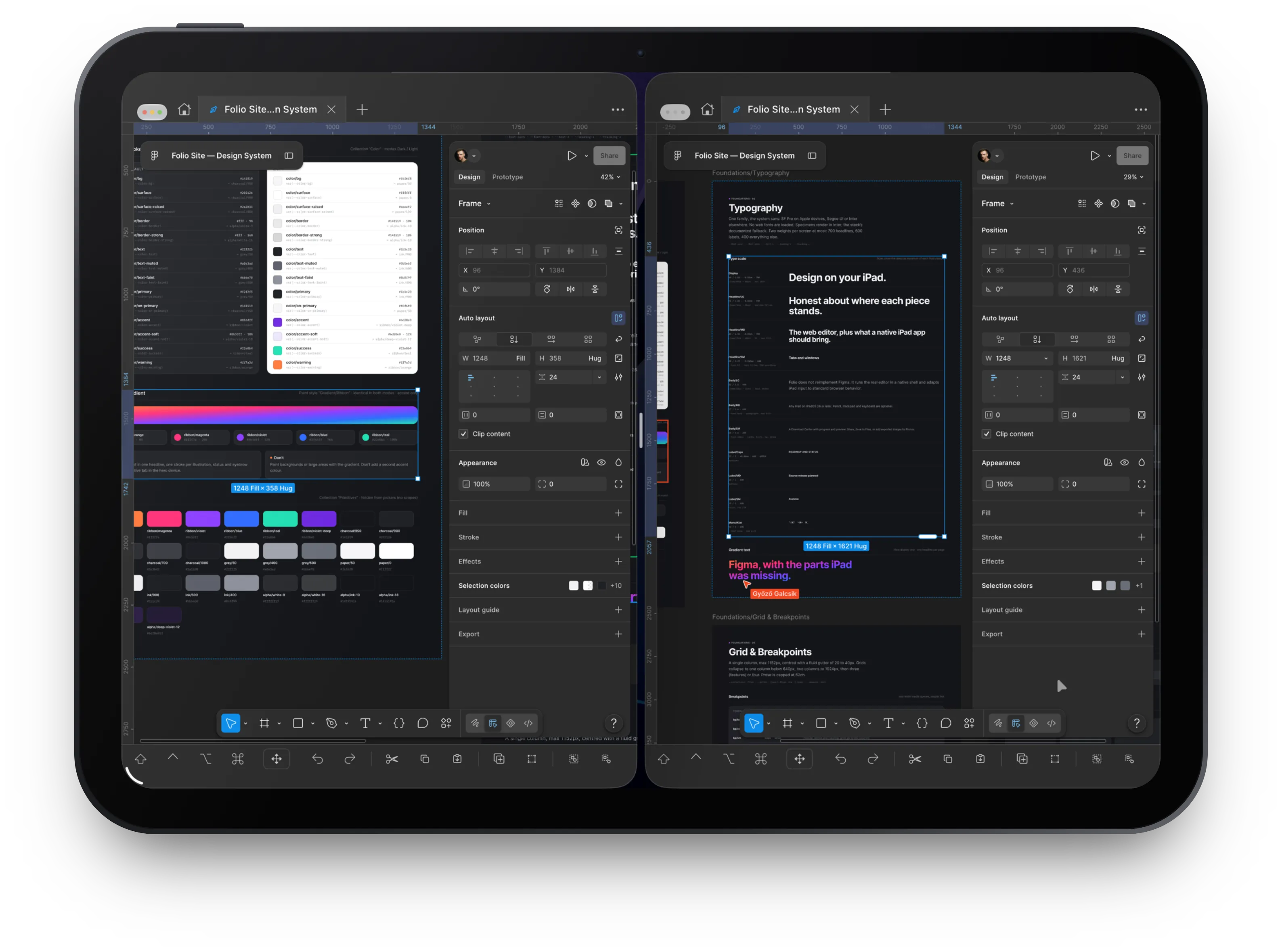
Two Folio windows side by side, each showing a different part of a design file

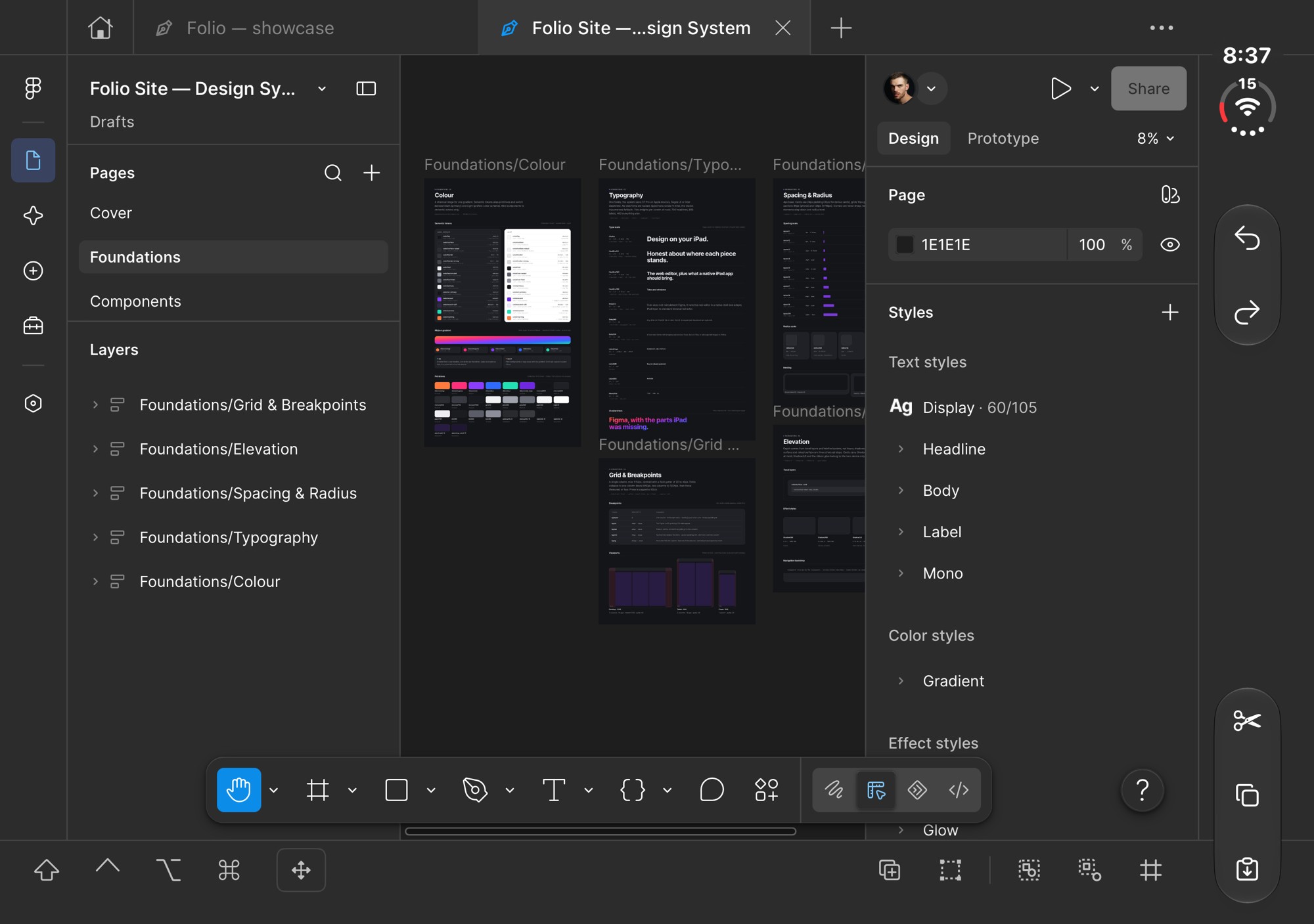
Tabs and windows

Open several files at once, pin the ones you need, reopen closed tabs and spread work across windows. Tabs come back on relaunch.

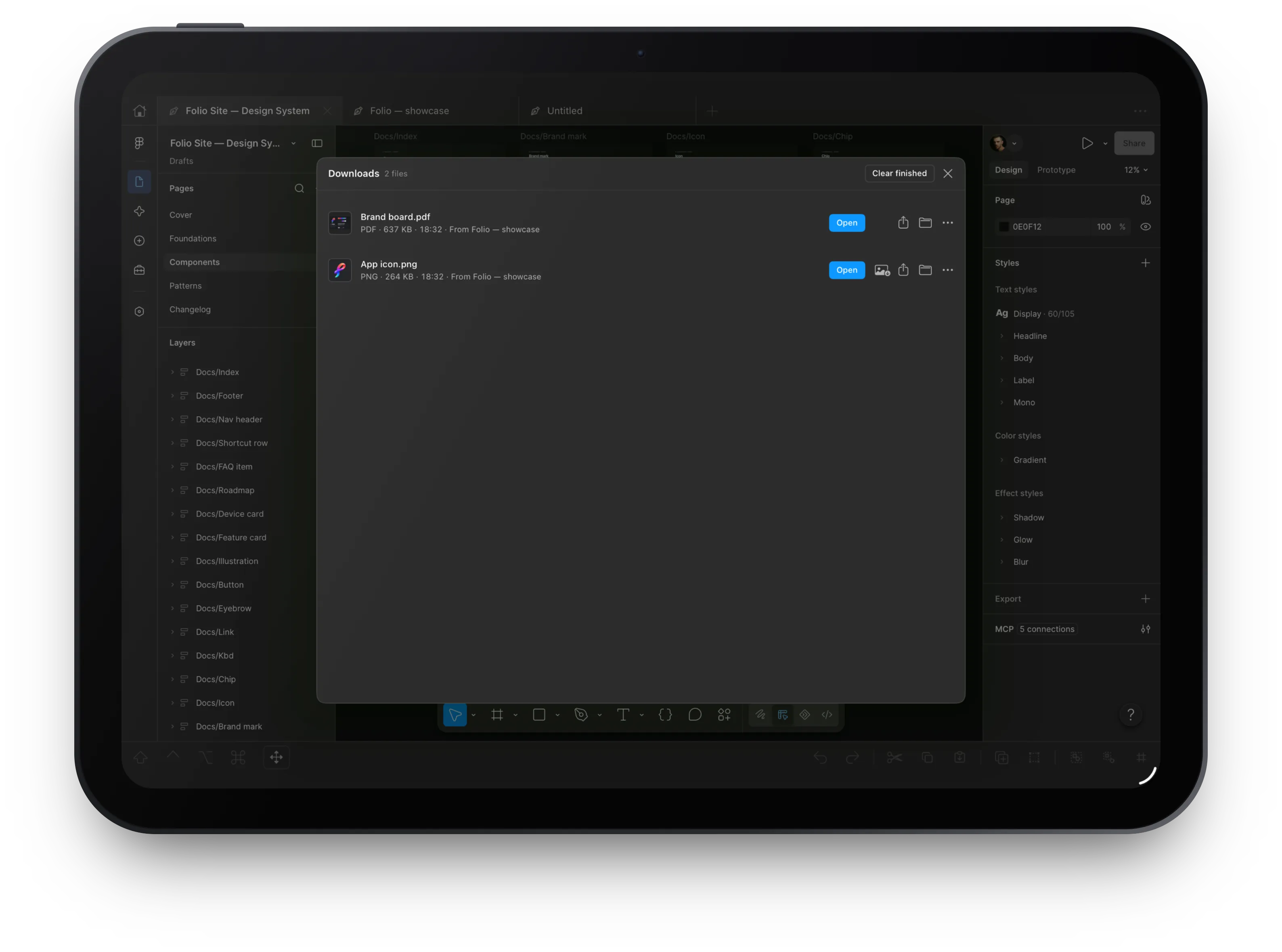
The Download Center listing two exported files with Open, Share and Save buttons

Downloads and exports

A Download Center with progress and preview. Share, Save to Files, or add exported images to Photos without leaving the app.

Devices

iPad on the App Store. iPhone and iPhone Duo coming soon.

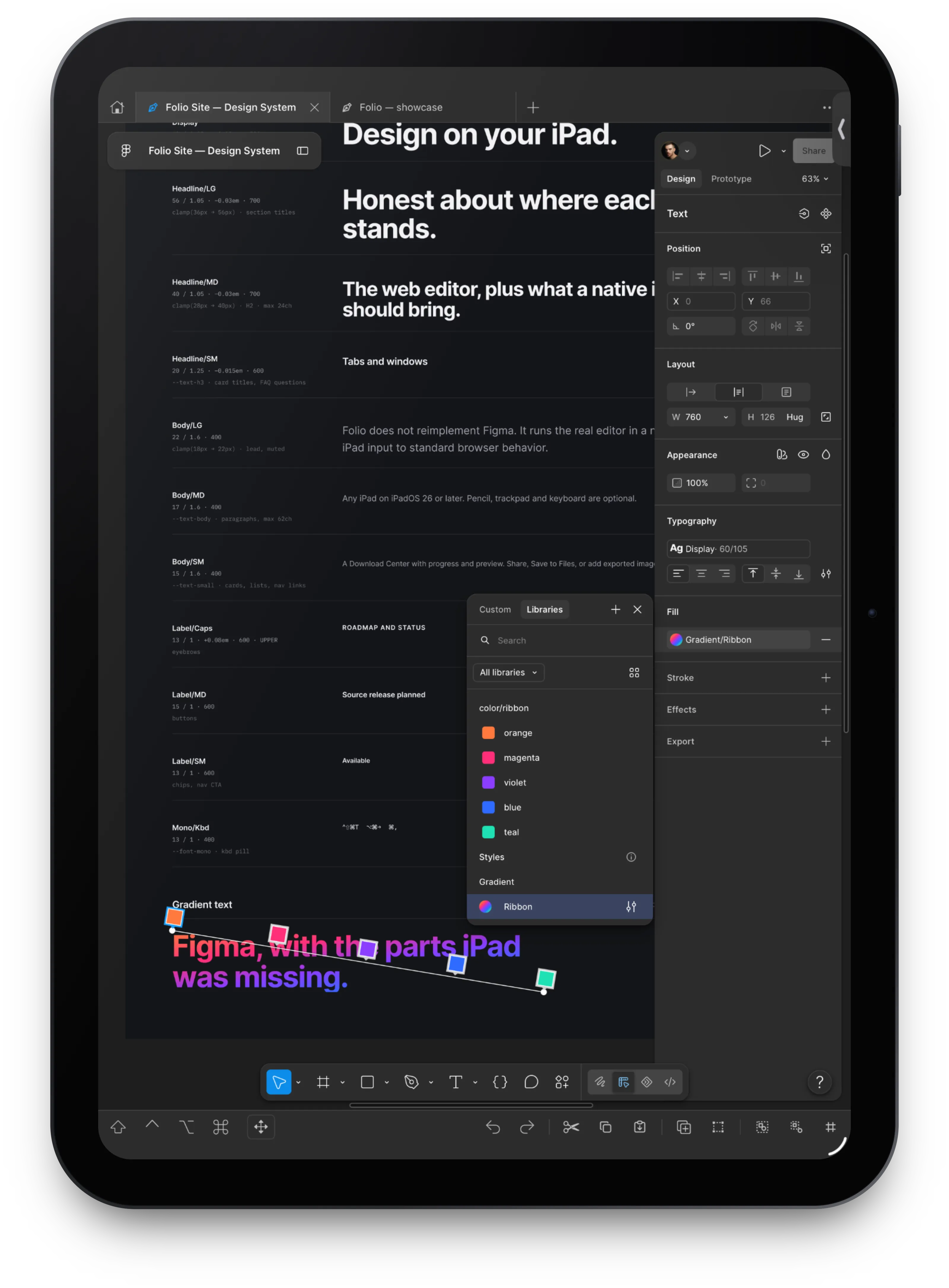
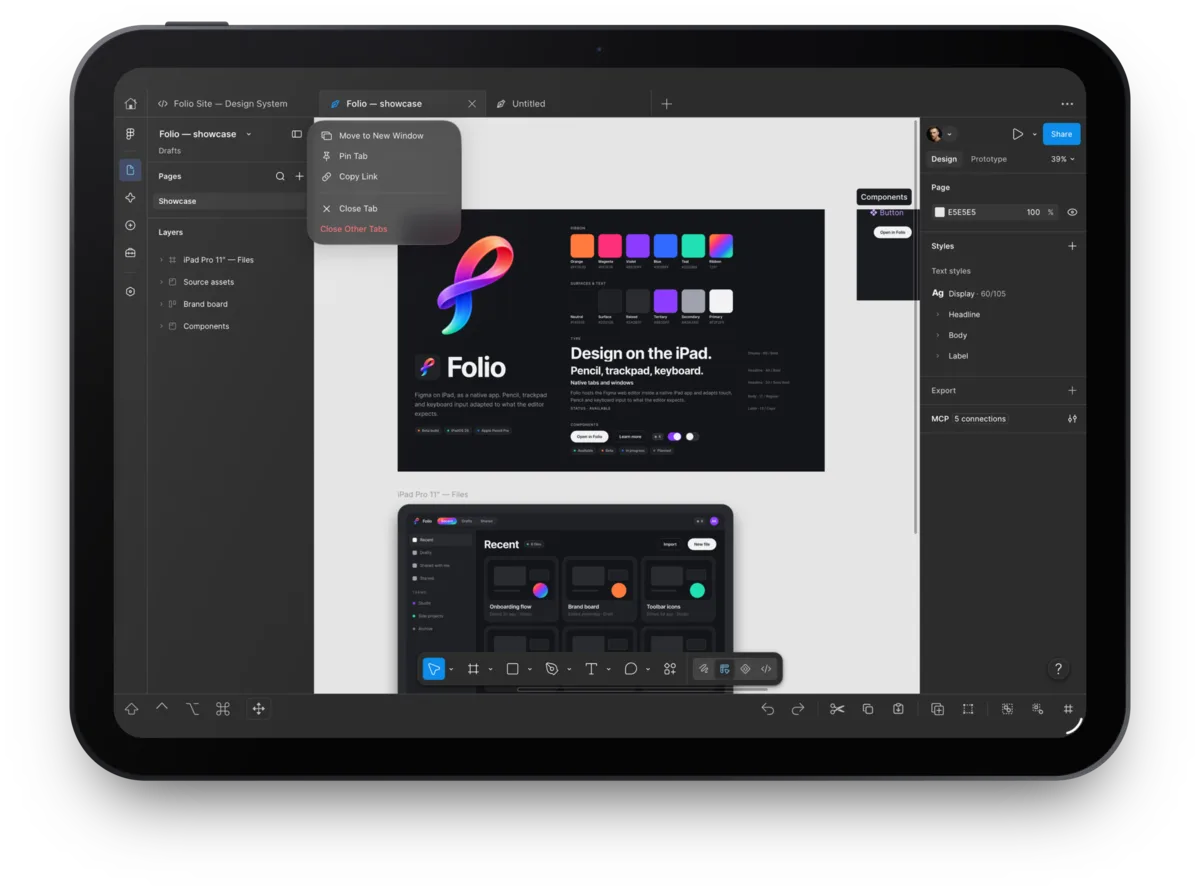
Folio on iPad with a pinned file in the tab strip and the tab menu open

iPad

Available

The flagship. Any iPad on iPadOS 26 or later; Apple Pencil, trackpad, mouse and hardware keyboard are optional. Large files can exceed iPad browser memory limits, so Folio unloads background tabs under pressure and recovers from WebContent crashes.

Folio on the folded iPhone Duo's cover screen, with the side columnFolio on the unfolded iPhone Duo, with the tab strip, Figma's panels and the side column

iPhone and iPhone Duo

Beta · coming soon

Coming soon to the App Store, in Beta. The canvas comes first: Figma's own minimized UI, with Layers and Properties in a bottom sheet in portrait and side panels in landscape. A floating tool pill mirrors Figma's Design and Dev Mode tools, with a pinned Design | Dev switch. Tapping the lit tool cycles its group. Number fields get a key row on the keyboard. Folded and unfolded iPhone Duo layouts are included, and regular iPhones use Touch Only. Needs iOS 26 or later. Until it ships, the App Store release is iPad only. Beta: not yet verified on every device, and Figma editing on phones is not guaranteed.

Roadmap

What works today, and what comes next.

Folio 1.0 is on the App Store for iPad, tested on real iPads. iPhone and iPhone Duo support is coming soon to the App Store, in Beta.

Available
  • Folio 1.0 on the App Store for iPad
  • Document tabs, pinned tabs, reopen closed tabs
  • Multiple windows, tab moves between windows
  • Tab and window restoration on relaunch
  • Home dashboard and opening files into tabs
  • Open Figma links from other apps
  • Interface zoom
  • Apple Pencil: select, move, resize, tools
  • Touch hold menus, held drags, two-finger pan
  • Trackpad pinch zoom and Ctrl-scroll zoom
  • Hardware keyboard commands
  • Bottom toolbar: modifiers, flick arrows, edit commands
  • Two-finger undo, three-finger redo
  • Download Center, Share, Save to Files
  • Export images to Photos, Place Image picker
  • Import font files to a local library
  • Memory-pressure tab unloading and crash recovery
  • Safe mode and local, sanitized diagnostic reports
  • Welcome tour: touch mode, Pencil double-tap and squeeze actions, quick tour
Planned
  • Side-by-side window by dragging a tab to the edge
  • Prototype presentation controls
  • Plugin and dialog touch support
  • Chinese Pinyin entry and floating-keyboard layout
  • Home Screen quick actions
  • External display support
  • Customizable toolbar commands, Cmd/Ctrl mapping
  • Native interface translations
  • Using imported fonts inside Figma (blocked by WebKit and Figma font routes; use Figma's font upload)
FAQ

Questions worth answering before you install.

Is Folio official?

No. Folio is an independent project, not affiliated with or endorsed by Figma, and it uses no Figma logo or icon artwork. Figma's own terms and privacy policy apply to its web editor.

Does it edit my existing files?

Yes. Folio shows Figma's own web editor, signed in with your own account. Nothing is copied, converted or synced by Folio; you work in the same files and teams as on the desktop.

Does it work offline?

No. The editor is Figma's web app, so Folio needs an internet connection and a Figma account.

Can I sign in with Google?

Not inside Folio. Google blocks sign-in from embedded browsers, so Folio hides the Google button on Figma's login page and shows guidance if you reach Google another way. Use email and password (with a second factor if required) or your organization's SSO. Signing in with Safari does not sign Folio in.

Which devices does it run on?

Any iPad on iPadOS 26 or later. iPhone and iPhone Duo on iOS 26 or later are coming soon, in Beta. Pencil, trackpad and keyboard are optional. Very large files can exceed browser memory limits; close unused tabs or lower the tab cap in Settings.

Does it run on iPhone?

Soon: iPhone and iPhone Duo support is coming to the App Store, in Beta, for iOS 26 or later; until then the App Store release is iPad only. Figma stays in its own minimized UI, with Layers and Properties in a bottom sheet (side panels in landscape), a floating tool pill and iPhone Duo layouts. It is not yet verified on every device, and Figma editing on phones is not guaranteed.

What happens with large files?

Large files can exceed WebKit memory limits. Folio unloads background tabs under memory pressure, recovers from WebContent crashes and offers a Safe mode that turns every adaptation off.

Why not Figma's own app?

Figma's iPad and iPhone app views, comments and presents, but doesn't edit design files. Folio is for people who want the full web editor on the go, with tabs, windows, a keyboard-and-trackpad workflow and native downloads. It complements Figma rather than replacing it.

Is it free and open source?

Folio is free. The source is public on GitHub (github.com/foliodesign/folio) under the Apache-2.0 licence. Figma's own pricing applies to your Figma account.


Figma on your iPad and iPhone.With tabs, Pencil and a real keyboard.

Free to use. Your own Figma account and files, nothing in between. The source is on GitHub under Apache-2.0.

1.0 · iPadOS 26 or later · iPhone Beta coming soon